
Free Quizlet Alternatives: Best Genuinely Free Study Apps by Student Use Case
Quizlet's free tier has been significantly restricted since 2024, leaving many students searching for a real replacement. This guide compares five genuinely free flashcard and study apps — Knowt, Anki, RemNote, StudySmarter, and Brainscape — across key decision criteria and matches each to the student situations where it works best.
Updated:
Why Students Are Leaving Quizlet's Free Tier
Quizlet was once the default free flashcard tool for millions of students. That changed significantly in 2023 and 2024, when Quizlet moved several core study features behind its paid plan, Quizlet Plus.
Here is what the free tier no longer includes in full:
- Learn mode is now capped at approximately 20 rounds per month on the free tier — previously unlimited.
- Practice tests are limited to roughly 3 per month on the free plan.
- AI-powered features — including Magic Notes and AI flashcard generation from text — are locked behind Quizlet Plus.
- Offline access is not available on the free tier.
- The free experience includes ads throughout the study interface.
Quizlet Plus is priced at approximately $35.99 per year as of mid-2026. A monthly option is also available at a higher effective rate.
The result is that the free tier now functions more as a preview than a full study tool. Students who relied on Learn mode for daily review or practice tests before exams are the most affected. For many, the practical choice is either paying for Plus or finding a replacement.
How to Evaluate a Free Flashcard App: Five Criteria That Matter
Not all "free" study apps are equally free. Some cap card counts, others limit study modes, and a few offer a generous free tier but monetize through ads or upsells. Before looking at specific tools, it helps to know which dimensions actually affect your daily study experience.
- SRS algorithm quality. Spaced repetition is the single most evidence-backed feature in flashcard tools. A good SRS schedules cards so you review them just before you would forget them. Not all tools implement this equally — some use a basic interval system, others use research-validated algorithms like SM-2 or FSRS.
- AI-assisted card creation. The ability to generate flashcards from notes, PDFs, or typed text saves significant time. On some tools this is free; on others it is a paid feature.
- Mobile support. Most students study on their phones at least part of the time. A free tier that only works on desktop loses significant practical value.
- Quizlet set import. If you have existing Quizlet sets, the ability to import them directly — without manually recreating every card — dramatically reduces switching friction.
- Offline access. Studying on a commute, in a library with spotty Wi-Fi, or without a data plan requires offline functionality. Some tools provide this free; others do not.
These five criteria are the columns in the feature matrix below. They are also the basis for the persona-based recommendations later in this guide.
Feature Comparison Matrix: Free Tier at a Glance
| Tool | SRS Algorithm (Free) | AI Card Creation (Free) | Mobile App | Quizlet Import | Offline Access (Free) | Ads on Free Tier |
|---|---|---|---|---|---|---|
| Quizlet (free tier) | Basic (capped) | No — Plus only | Yes | N/A | No — Plus only | Yes |
| Knowt | Yes — unlimited | Yes — free | Yes | Yes — direct import | Limited | Yes (minimal) |
| Anki | Yes — SM-2 / FSRS | No built-in AI | Yes (Android free; iOS $24.99) | Via export/import | Yes — full offline | No |
| RemNote | Yes — built-in SRS | Yes — limited on free | Yes | Manual or CSV | Limited on free | No |
| StudySmarter | Yes — adaptive | Yes — free tier included | Yes | Yes — direct import | Limited on free | Yes |
| Brainscape | Yes — confidence-based | No | Yes | Limited | No — paid only | Yes |
Tool Profiles: What Each Free Alternative Actually Offers
Each tool below is evaluated on its free tier specifically. Where paid features are mentioned, they are labeled clearly to avoid confusion.
Knowt
Knowt is currently the most direct free replacement for Quizlet's full feature set. The free tier includes unlimited Learn mode sessions, spaced repetition, practice tests, and AI flashcard generation from notes or uploaded text — all without a usage cap.
- Free tier includes: unlimited Learn mode, spaced repetition, practice tests, AI card generation from notes, Quizlet set import.
- Standout strength: The closest functional match to Quizlet's pre-2023 free experience, with direct Quizlet import that requires no reformatting.
- Most significant limitation: Offline access is limited on the free tier, and the app shows ads. Advanced AI features (PDF upload, longer documents) are behind the paid Ultra plan.
- Best for: Students switching from Quizlet who want minimal disruption to their existing workflow and study sets.
Anki
Anki is the most powerful free flashcard tool available, and the only one in this comparison that is fully free on desktop and Android. It uses a configurable spaced repetition algorithm — originally SM-2, now supporting the more accurate FSRS algorithm — that is widely regarded as best-in-class among serious learners.
- Free tier includes: full SRS functionality, unlimited cards, offline access, desktop (Windows/macOS/Linux) and Android apps, AnkiWeb sync, and access to thousands of community-shared decks.
- Standout strength: The SRS algorithm is configurable and research-backed. No ads, no usage caps, no paywalled study modes.
- Most significant limitation: The iOS app (AnkiMobile) costs a one-time fee — verify the current App Store price before assuming it is free. The interface is functional but dated, and the learning curve for setup is steeper than any other tool in this list.
- Best for: Students with high-stakes long-term memorization needs — MCAT, bar exam, medical school, or serious language acquisition — who are willing to invest time in setup for maximum retention efficiency.
RemNote
RemNote takes a different approach: rather than treating note-taking and flashcard creation as separate workflows, it integrates them. You write notes in RemNote's editor, and flashcards are generated from those notes automatically using a double-colon or cloze syntax. Spaced repetition is built into the same interface.
- Free tier includes: note-taking with integrated SRS, flashcard creation from notes, basic AI features, mobile app, and web access.
- Standout strength: The note-to-flashcard workflow is genuinely unique. Students who take notes and then want to review them do not need to rebuild content in a separate app.
- Most significant limitation: The free plan has document and AI usage limits. The interface has a steeper learning curve than Quizlet or Knowt, and Quizlet import requires manual CSV work rather than a one-click process.
- Best for: Students who take structured notes and want their review sessions to emerge directly from those notes — particularly useful for lecture-heavy courses.
StudySmarter
StudySmarter positions itself as an all-in-one free study platform. The free tier includes flashcards with adaptive spaced repetition, AI-assisted card creation, a study planner, access to a large community set library, and Quizlet import. It is one of the more feature-complete free options.
- Free tier includes: adaptive SRS, AI flashcard generation, study planner, community set library, Quizlet import, mobile app.
- Standout strength: The combination of flashcards, planner, and community content in a single free tool is broader than any other option in this comparison.
- Most significant limitation: The free tier includes ads, and some advanced AI and analytics features are behind the paid plan. Offline access is limited.
- Best for: Students who want more than just flashcards — particularly those who also want study scheduling and access to community-created content in their subject area.
Brainscape
Brainscape uses a confidence-based repetition system: after each card, you rate your confidence on a 1–5 scale, and the algorithm adjusts the review schedule accordingly. The system is grounded in cognitive science principles and is effective for structured subject review.
- Free tier includes: confidence-based repetition, ability to create your own flashcard decks, mobile app, and access to some community decks.
- Standout strength: The confidence-based rating mechanism produces a more personalized review schedule than simple interval systems.
- Most significant limitation: Most expert-created and certified content (particularly for professional exams) requires a paid plan. Offline access is not available on the free tier. Quizlet import is limited compared to Knowt or StudySmarter.
- Best for: Students who want a structured, science-backed review system and are creating their own decks rather than relying on pre-made content.
Which Free Alternative Is Right for Your Situation?
There is no single best free Quizlet alternative. The right choice depends on what you were using Quizlet for, what you need now, and how much setup friction you are willing to tolerate.
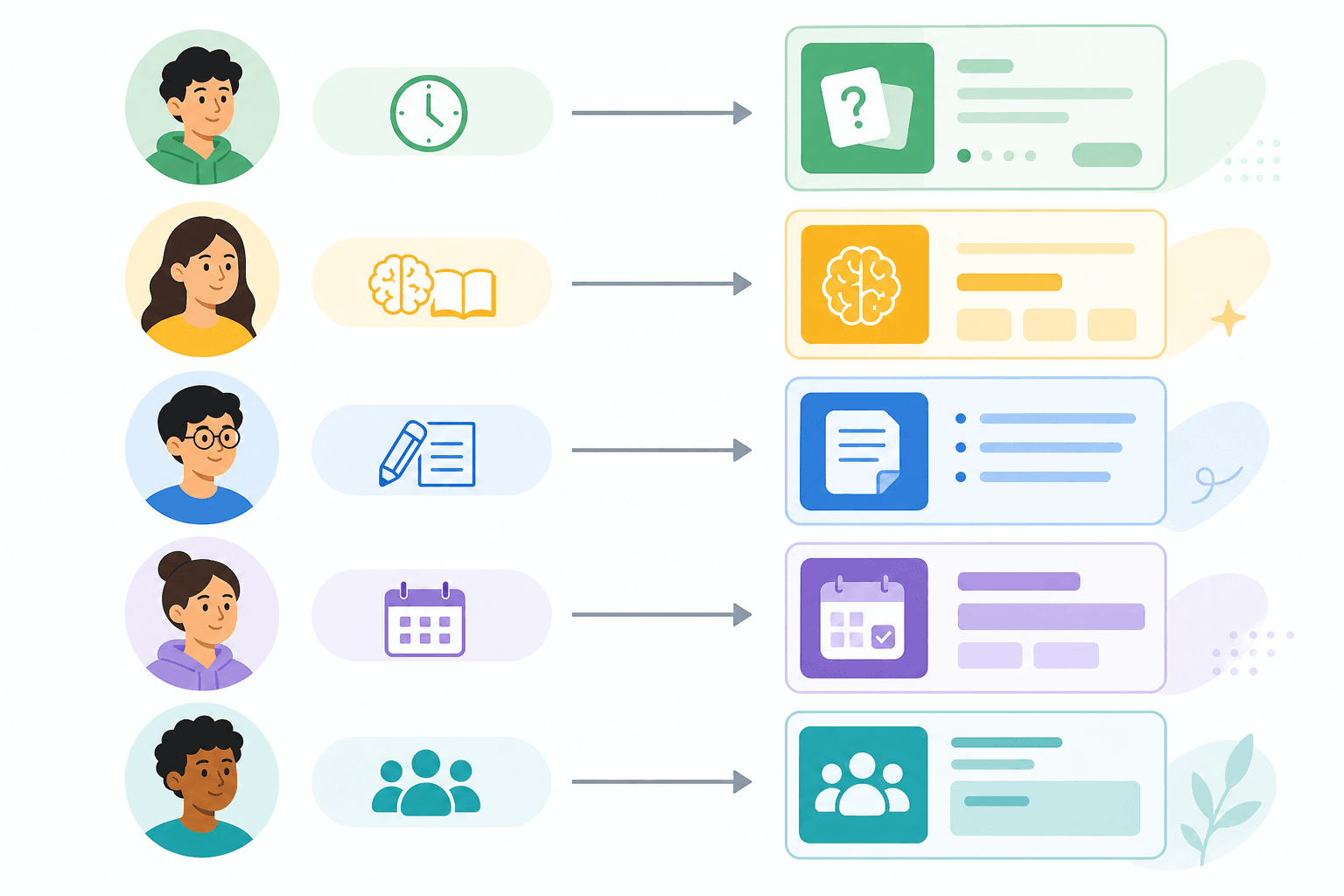
- If you are switching from Quizlet and want minimal disruption: Use Knowt. It imports your existing Quizlet sets directly, replicates Learn mode without caps, and requires no learning curve. The transition is as close to frictionless as currently exists.
- If you are studying for a high-stakes long-term exam (MCAT, bar exam, medical licensing, or serious language acquisition): Use Anki. The SRS algorithm quality and complete absence of usage caps or paywalled study modes make it the most reliable free tool for memorization-heavy study over months or years. Budget for AnkiMobile if you study primarily on iOS.
- If your study workflow starts with taking notes: Use RemNote. The integrated note-to-flashcard workflow removes the step of rebuilding your notes as cards in a separate app. Best for lecture-heavy courses where you are already writing structured notes.
- If you want a single free tool that handles flashcards, scheduling, and community content: Use StudySmarter. The combination of adaptive SRS, study planner, and a large community library is broader than any other free option. Accept that the free tier includes ads.
- If you want a structured, confidence-rated review system and are creating your own decks: Use Brainscape. The confidence-based repetition is genuinely different from interval-only systems and works well for students who want to actively rate their own understanding as they review.
How to Migrate Your Quizlet Sets to a Free Alternative
If you have existing Quizlet sets, the first step is the same regardless of which tool you are moving to: export your content from Quizlet.
Step 1: Export Your Sets from Quizlet
- Open the Quizlet set you want to export.
- Click the three-dot menu (⋯) in the upper right of the set.
- Select "Export" from the dropdown.
- Choose your separator settings. The default (tab between term and definition, newline between cards) works for most import tools. For CSV-based imports, select comma or custom delimiters as needed.
- Copy the exported text or download the file.
Importing into Knowt
- In Knowt, click "Create" and select "Import from Quizlet."
- Paste the Quizlet set URL or use the direct import option. Knowt can pull the set directly if you provide the URL while you still have Quizlet access.
- Review the imported cards for formatting issues — image-based cards may not transfer.
- Save the set and begin studying immediately.
Importing into StudySmarter
- In StudySmarter, create a new flashcard set.
- Look for the import or upload option within the set editor.
- Paste the exported Quizlet text or upload a CSV file using the format StudySmarter specifies in its import guide.
- Check for any cards that did not import correctly, particularly those with special characters or image placeholders.
Importing into Anki
- From Quizlet's export, save the text as a .txt file with tab-separated terms and definitions.
- In Anki desktop, go to File → Import.
- Select your .txt file. Set the field separator to Tab.
- Map the first column to "Front" and the second to "Back."
- Choose or create a deck to import into, then click Import.
- Review a sample of cards to confirm formatting is correct before starting study sessions.
Frequently Asked Questions
Is Anki completely free?
Anki desktop (Windows, macOS, Linux) and AnkiDroid (Android) are fully free and open-source. AnkiWeb sync is also free. The iOS app, AnkiMobile, is a paid one-time purchase — check the current App Store price before assuming it is free, as this figure changes. There are no subscriptions, usage caps, or paywalled study modes on any platform.
Does Knowt have ads?
Yes, Knowt's free tier includes ads. They are generally less intrusive than Quizlet's free tier ads, but they are present. The paid Ultra plan removes them.
Which of these tools works offline?
Anki provides the most complete offline experience on the free tier — desktop and Android apps work fully without an internet connection. Knowt, StudySmarter, and RemNote offer limited offline functionality on their free tiers. Brainscape does not support offline access on the free plan.
Is spaced repetition available for free on any of these tools?
Yes — all five alternatives in this guide offer spaced repetition on their free tiers. Anki's SRS (SM-2 / FSRS) is the most configurable and widely regarded as the most algorithmically rigorous. Knowt, RemNote, StudySmarter, and Brainscape all include SRS in their free plans, though with varying levels of configurability.
What happened to StudyBlue?
StudyBlue was acquired by Chegg and subsequently discontinued as a standalone product. It is no longer a viable option for students looking for a free flashcard tool.
Can I use these tools for group studying?
StudySmarter has the strongest group study and shared set features among the free alternatives. Knowt allows set sharing. Anki supports sharing through AnkiWeb public decks, but real-time collaborative features are minimal. RemNote and Brainscape have limited free-tier sharing functionality.
Do any of these tools generate flashcards from PDFs for free?
Knowt and StudySmarter both offer AI flashcard generation from uploaded text on their free tiers, with some limitations on document length or monthly usage. PDF upload specifically — as opposed to pasted text — is often behind a paid tier or has stricter free-tier limits. Verify the current limits on each tool's pricing page, as these features change frequently.
Is RemNote worth the learning curve if I just want flashcards?
Probably not, if flashcards are your only goal. RemNote's value is specifically in the integration between note-taking and review — if you are not taking notes in the app, you are not using its main differentiator. For straightforward flashcard review, Knowt or Anki will serve you better with less setup friction.
Individual Tool Profiles
Related Comparisons
- Anki vs. Quizlet: Which Flashcard App Is Right for You?
Anki and Quizlet take fundamentally different approaches to flashcard learning — one built for long-term retention through true spaced repetition, the other for accessible, low-friction study. This comparison breaks down their algorithms, pricing, study modes, and honest limitations so you can choose the right tool for your situation.
- Notion vs. Obsidian for Students: Which Note-Taking App Fits Your Academic Workflow?
A structured, student-centered comparison of Notion and Obsidian covering pricing, offline access, collaboration, study-specific tools, and AI features — with clear recommendations by student type to help you choose the right tool for your academic workflow.
- Quizlet vs Knowt: Which Free Flashcard App Is Better for Students?
A head-to-head comparison of Quizlet and Knowt for budget-conscious students, covering what each platform actually offers for free in 2026, how their paid plans compare, and which tool fits different student profiles — from AP exam preppers to language learners.
Comments
Join the discussion with an anonymous comment.