
Anki Flashcard App Review: Features, Pricing, and Who It's Best For (2026)
An honest, research-backed profile of Anki for students in the evaluation stage — covering its FSRS spaced repetition algorithm, platform pricing, core features, real limitations, and a persona-matched verdict to help you decide whether Anki fits your study situation.
Updated:
What Is Anki?
Anki is an open-source, spaced repetition flashcard application developed and maintained by Ankitects Pty Ltd. The project was created by Damien Elmes, who stewarded it for nearly two decades. In February 2026, Elmes announced he is transitioning primary stewardship to AnkiHub — a community platform that has grown into the central hub for shared medical decks. Anki remains fully open-source, and no pricing changes have been announced as part of the transition.
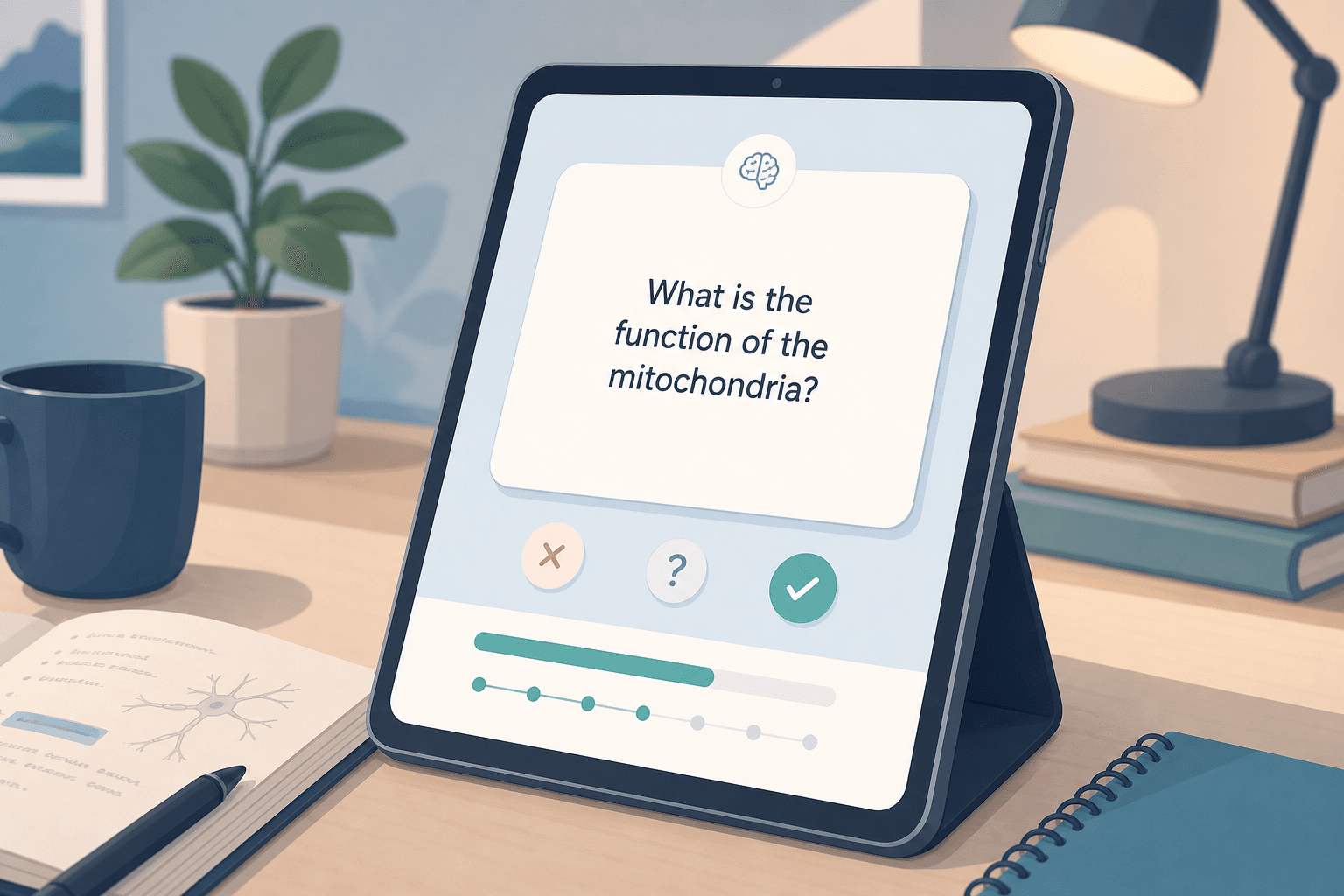
At its core, Anki is a memory tool. It presents flashcards on a schedule designed to show each card just before you would naturally forget it — a technique called spaced repetition. The result is that you spend less time reviewing material you already know well and more time reinforcing what you are close to forgetting.
Anki's open-source model means anyone can inspect the code, build add-ons, and distribute the software freely. The desktop version is free on all major platforms. Revenue comes primarily from AnkiMobile, the official iOS app — which funds ongoing development. As of 2026, the current stable release supports Windows 10+, macOS 12+, Linux, Android, and iOS.
Platform Availability and Pricing
Anki's pricing model is unusual: the desktop and Android versions are completely free, while the iOS app carries a one-time purchase price that stands out even on a platform full of subscription apps.
| Platform | Cost | Notes |
|---|---|---|
| Windows / macOS / Linux | Free | Full-featured desktop app; open-source |
| AnkiDroid (Android) | Free | Community-maintained; not by Ankitects |
| AnkiMobile (iOS) | $24.99 one-time | Official iOS app; funds Anki development |
| AnkiWeb (sync) | Free | Browser-based review and cross-device sync |
The iOS price is a real barrier. At $24.99, AnkiMobile is among the most expensive paid education apps on the App Store — yet it consistently ranks in the top ten paid iOS apps in the US, which reflects how seriously committed users value it. Students who primarily use an iPhone and are not prepared to pay upfront should factor this in early.
A common workaround: use the free desktop app or AnkiDroid for daily reviews, and access AnkiWeb in a mobile browser for lighter review sessions. This avoids the iOS cost entirely, though the browser experience is less polished than the native app.
How Anki's Spaced Repetition Works: SM-2 vs. FSRS
Spaced repetition is the principle behind Anki's scheduling: review a card too soon and the effort is wasted; wait too long and you have already forgotten it. The algorithm's job is to find the optimal moment between those two extremes for each individual card.
For years, Anki used SM-2 — an algorithm developed in the late 1980s that calculates review intervals based on a fixed formula and your rating of each card (Again, Hard, Good, Easy). SM-2 works, but it treats all learners the same and does not adapt to individual memory patterns.
Since Anki 23.10, FSRS (Free Spaced Repetition Scheduler) is enabled by default. FSRS is a meaningfully different approach. It tracks three variables for each card:
- Retrievability (R) — the estimated probability that you can recall the card right now.
- Stability (S) — how long a card's memory is likely to hold before Retrievability drops below your target threshold.
- Difficulty (D) — how inherently hard the card is for you, based on your review history.
Using machine learning, FSRS analyzes your actual review history and finds scheduling parameters that fit your individual memory patterns. You set a desired retention level — say, 90% — and FSRS schedules each card so that your recall probability approaches that threshold just before the next review. No manual parameter tuning is required.
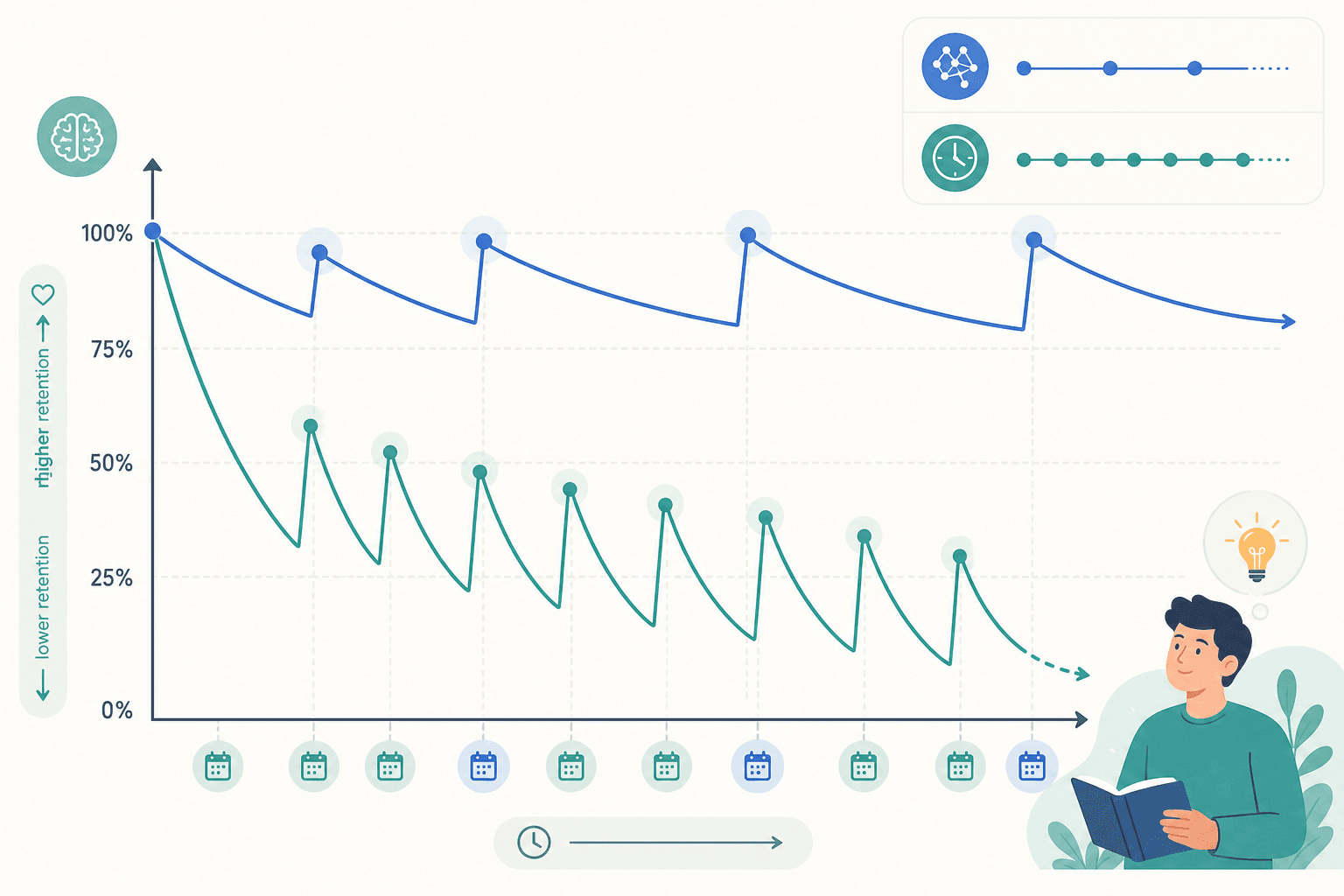
The practical result: students using FSRS report approximately 20–30% fewer daily reviews compared to SM-2 while maintaining the same retention rate. Over a multi-year curriculum, that reduction compounds into a substantial amount of recovered time. Benchmark testing across roughly 350 million reviews from nearly 10,000 users found FSRS produces more accurate recall predictions than SM-2 in 99.6% of cases.
Core Features
Anki's feature set is broader than most flashcard apps, which is part of why the learning curve is steep. Here is what the core product actually includes:
- Deck and note system. Cards are organized into decks and sub-decks. Notes define the content; cards are generated from notes using templates. This separation allows one note to generate multiple card types.
- Card types. Basic (front/back), Cloze deletion (fill-in-the-blank), and — natively since Anki 23.10 — Image Occlusion, which lets you hide labels on diagrams. Image Occlusion is particularly useful for anatomy, histology, and any visual subject.
- Media support. Cards can include audio, images, and video. This makes Anki viable for language pronunciation practice, anatomy diagrams, and scientific markup.
- Add-on ecosystem. Thousands of community-built add-ons extend Anki's functionality — Review Heatmap, Advanced Browser, and others. However, add-ons that alter card intervals (such as Auto Ease Factor, autoLapseNewInterval, and Straight Reward) are incompatible with FSRS and should not be used when FSRS is enabled.
- AnkiWeb sync. Free cross-device synchronization via AnkiWeb keeps your decks and review progress consistent across desktop, mobile, and browser.
- Large deck support. Anki handles decks of 100,000+ cards without performance issues — a practical requirement for medical students using comprehensive pre-made decks.
AI Features: What Anki Can and Can't Do
Anki has no built-in AI flashcard generation. There is no feature that reads your notes, a PDF, or a textbook chapter and automatically creates cards for you. This is a genuine gap compared to newer competitors like Knowt and RemNote, which include AI card generation on their free or paid tiers.
AI-powered card creation is available through third-party add-ons or external tools — you can generate cards in another app and import them into Anki, or use a community add-on that connects to an external AI service. But this requires additional setup and is not a seamless native experience.
Shared Decks and Community Resources
One of Anki's most underrated advantages is its shared deck library. AnkiWeb hosts thousands of community-built decks across subjects and languages — freely downloadable and immediately importable into your account.
For medical students, the standout resource is the AnKing deck — a comprehensive, community-maintained collection of over 30,000 cards covering nearly all required medical school material. It is the most widely used deck among US medical students preparing for USMLE Step 1 and shelf exams. Separate decks exist for Step 2, pharmacology, anatomy, and specific shelf subjects.
- Medical and pre-med: AnKing (USMLE Step 1/2), Zanki (now largely merged into AnKing), and subject-specific shelf exam decks. AnkiHub has taken over community stewardship and is the primary hub for updates and corrections.
- Language learning: Vocabulary decks for Japanese (including kanji with stroke order), Mandarin, Spanish, French, German, and many others. Quality varies — community-reviewed decks are generally more reliable.
- GRE and standardized tests: GRE vocabulary decks (Magoosh 1000, Barron's 333, and others) are widely available and actively maintained.
- Science and university subjects: Decks for biochemistry, physiology, pharmacology, law, and various undergraduate subjects exist in the shared library, though coverage quality varies more than in the medical category.
Pre-made decks do contain errors — this is a known issue, particularly in older or less-maintained decks. Cross-referencing flagged cards against authoritative sources is a recommended practice, especially for high-stakes exam preparation.
Notable Limitations
Anki's limitations are real and worth stating plainly. They are not edge cases — they are the reasons many students start with Anki and abandon it within weeks.
- Steep learning curve. Getting productive with Anki requires understanding note types, card templates, deck presets, and the add-on ecosystem. Most new users need several hours of tutorial investment before the tool feels efficient. The interface does not guide you through this — you have to seek it out.
- Dated interface. Anki's UI looks and feels like software from a different era. It is functional, but it is not intuitive for students accustomed to modern app design. This contributes directly to the learning curve problem.
- $24.99 iOS price barrier. For students who primarily study on iPhone, the upfront cost is a meaningful hurdle. There is no free iOS trial, and no subscription alternative — it is a one-time purchase or nothing.
- No native AI. Anki does not generate cards from your notes, PDFs, or textbook highlights. Card creation is manual or requires external tools and add-ons.
- Daily commitment required — 'Anki jail.' Anki only works if you show up consistently. Miss several days and the overdue review queue grows rapidly. Students who return after a week off can face hundreds of cards stacked up. This is not a bug — it is how spaced repetition works — but it is a real burden that casual or irregular learners consistently underestimate.
- Recall, not reasoning. Anki tests whether you can retrieve a fact. It does not test clinical reasoning, problem-solving, or the application of knowledge in novel contexts. Medical students in particular need to supplement Anki with question banks (UWorld, Amboss) to develop the reasoning skills that exams actually test.
Who Anki Is Best For — and Who Should Look Elsewhere
The peer-reviewed evidence on Anki's academic impact is stronger than for most study tools. A cohort study at Boonshoft School of Medicine enrolled 130 first-year medical students; those who used Anki for at least one exam scored significantly higher on all four assessments compared to non-users after controlling for MCAT scores — with improvements ranging from 6.2% to 12.9% depending on the exam.
Those results come with important caveats: the study was conducted at a single US medical school, was not randomized, and the authors acknowledge that higher-performing students may have been more likely to adopt and persist with Anki. The findings are promising and directionally consistent with spaced repetition research broadly — but they should not be read as a guarantee of score improvement.
| Student Type | Anki Fit | Reason |
|---|---|---|
| Medical students (USMLE, MCAT, shelf exams) | Strong fit | AnKing deck coverage, peer-reviewed evidence, high-volume recall requirement |
| Language learners | Strong fit | Vocabulary acquisition is a high-volume, long-horizon memorization task — exactly what Anki optimizes for |
| Law students (bar exam) | Good fit | Large volume of rules and definitions that benefit from spaced repetition |
| GRE / standardized test prep | Good fit | Vocabulary and formula recall; strong community decks available |
| Casual or irregular learners | Poor fit | Card accumulation from missed sessions undermines the benefit |
| Students needing collaborative features | Poor fit | Anki has no real-time collaboration or shared study mode |
| iPhone-primary students (budget-sensitive) | Poor fit | $24.99 upfront cost with no free iOS option |
| Students needing clinical reasoning practice | Poor fit | Anki tests recall, not application; must be supplemented with question banks |
Alternatives Worth Considering
Anki is not the right tool for everyone. These alternatives cover the most common reasons students look elsewhere:
- Quizlet — Uses a Leitner-style algorithm that is significantly less sophisticated than FSRS, but the interface is intuitive and the collaborative features (shared sets, class tools) make it a better fit for students who study with others. Free with ads; Plus at approximately $7.99/month. Best for casual learners and students who prioritize ease of use over scheduling precision.
- RemNote — Combines note-taking with flashcard generation in a single workflow. Cards are created directly from your notes, which reduces the friction of separate card-creation sessions. Uses an SM-2-based scheduler; AI card generation is available on paid plans (Pro approximately $8+/month). Best for students who want notes and flashcards in one place and are willing to pay for AI features.
- Knowt — Free, with AI flashcard generation from notes and PDFs. A popular option for students migrating away from Quizlet who want AI features without a subscription. Scheduling is less sophisticated than Anki's FSRS. Best for students who need AI card generation at no cost and are not focused on long-horizon retention optimization.
- Mochi Cards — A markdown-based flashcard app with FSRS support, making it one of the few Anki alternatives that matches Anki's scheduling quality. Smaller community and fewer pre-made decks than Anki. Best for students who want FSRS-level scheduling in a cleaner, more modern interface and are comfortable building their own decks.
Verdict: Is Anki Right for You?
Anki is the most powerful and most evidence-backed free spaced repetition tool available in 2026. Its FSRS algorithm is genuinely state-of-the-art among open-source tools. Its community deck library — particularly for medical students — is unmatched. And the fact that the full desktop experience costs nothing is a real advantage over most alternatives.
But Anki demands something in return: consistent daily effort, a willingness to climb the learning curve, and — if you are on iPhone — $24.99 upfront. Students who are not prepared to make that commitment will find the tool frustrating rather than useful.
The clearest signal that Anki is the right fit: you have a large volume of factual material to memorize over a long time horizon, you are prepared to study daily, and you are willing to invest a few hours upfront in learning the tool. Medical students, language learners, and law students who meet those criteria will find Anki difficult to beat.
If you are a casual learner, an irregular studier, or someone who needs AI card generation built in, a simpler tool like Quizlet or Knowt will serve you better — and you will actually use it.
Comments
Join the discussion with an anonymous comment.